Web app · Service business SaaS
JobVault
Job management for any service business: booking, scheduling, routes, parts, and invoices, under the business's own name and web address.
Visit jobvault360.com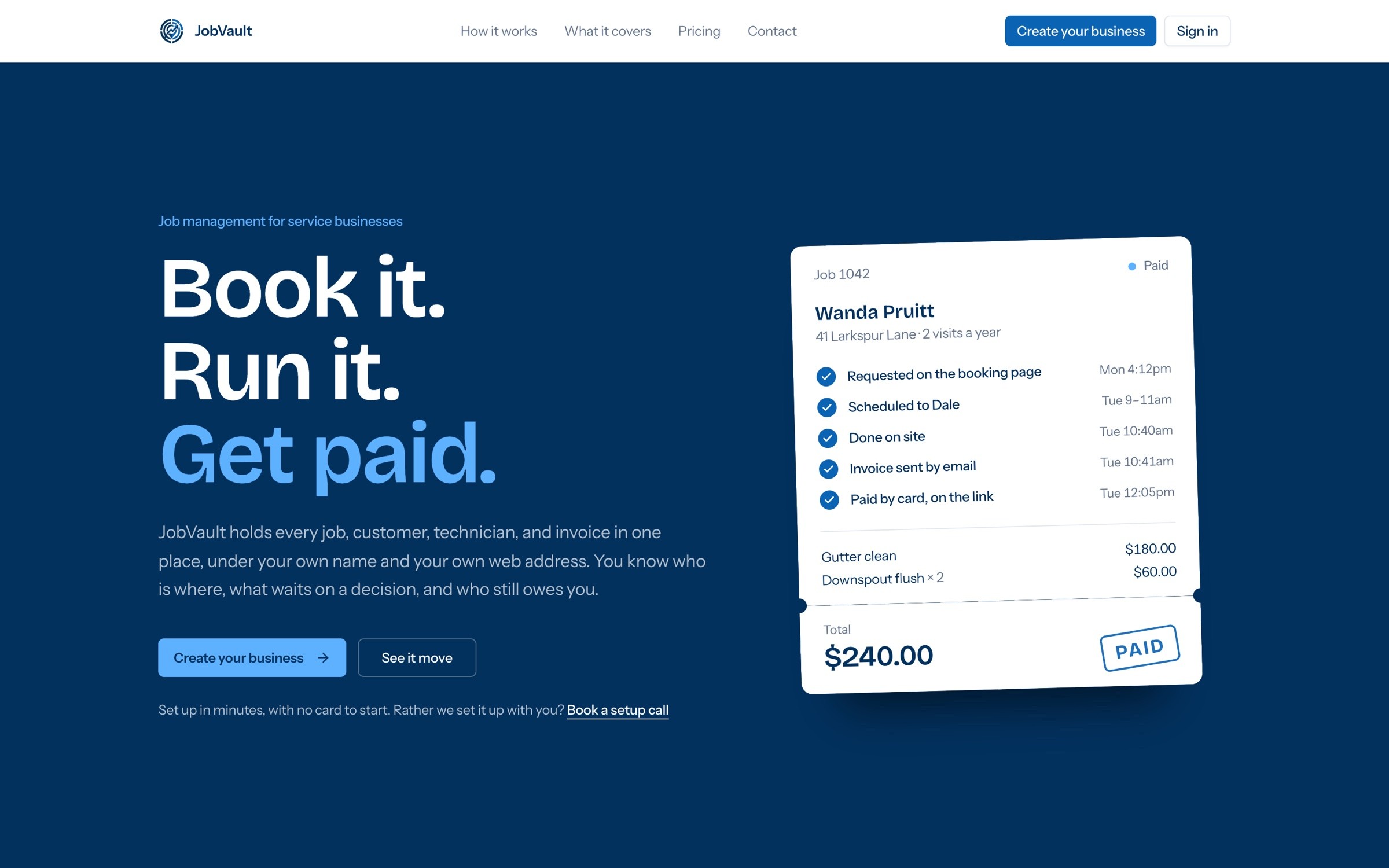
- Type
- Full stack app
- Started
- 2026
- What we did
- Product design, Front end, Backend, Maps and routing, Multi-business setup
- Built with
- Next.js, TypeScript, Tailwind CSS, shadcn/ui, Supabase, Google Maps Platform
JobVault is the general version of ApplianceRepairVault, split from it in August 2026. It had to fit any trade, from HVAC to pool service, and give each business its own name, color, web address, and logins on one shared app.
By the numbers
- Commits
- 46
- API routes
- 65
- Database migrations
- 58
- Pages
- 25
Counted from the project's own repo on 2026-11-22.
One service job, start to paid.
How one real job moves through the system, step by step, and which part of the system does each step.
- 01Booking page
The customer asks for a visit
The request comes in on the business's own booking page, or the desk books it.
- 02Office app
The desk makes it a job
A repeat phone number finds the customer on file. Suggested times and conflict warnings help pick the slot.
- 03Google Maps
It lands on a route
The route planner orders the tech's stops by the fewest missed windows, then the least driving.
- 04Tech view
The tech does the work
The tech starts and finishes the job on a phone, and adds photos and parts.
- 05Postgres
The invoice drafts itself
A finished job makes its own draft invoice, line by line. The office sends it by email or text.
- 06Invoice page
The office records the payment
The customer opens the invoice on its own page. The office records cash, a check, or a transfer, and the status updates itself.
- 07Daily run
The office sees the week ahead
Each evening, recurring work is booked and the next seven days go out by email.
What we designed.
The pages and pieces we drew and built for this project, from the first screen to the last.
- 01
The work order
A paper work order walks one job from request to paid. Its line items add up to the total, and a PAID stamp lands on the tear-off stub.
- 02
The day board
Color is the tech and the glyph is the status. The one job that waits on a decision gets the only amber on the screen.
- 03
Five states
How it works walks one job through booked, on site, on hold, completed, and paid.
- 04
A template for each trade
Pick one of ten trades at sign-up, and the services and the words of the app fill in. Then change any of it.
- 05
Schedule and routes
Day, week, and month views with drag to move. Each tech's stops get a planned order with the drive between each one.
- 06
The tech's day
A phone view for the field: today's jobs, photos, parts, and the buttons that start and finish each one.
- 07
Pages for each business
Each business gets its own landing page, booking page, and invoice page, in its own logo and color.
Colors
- #02315e
- #0b63b4
- #5eb1ff
- #64748b
- #f8fafc
Type
- Bricolage Grotesque
- Instrument Sans
- JetBrains Mono
How it's built.
This one is more than a website. Here is the system behind it, and the choices that make it hold up.
The system
Screens
- Office appSchedule, map, jobs, and invoices
- Tech viewThe day, on a phone
- Business pagesLanding, booking, and invoice pages
Server
- ProxySends each subdomain to its business
- API routesEach one takes the business from the session
- Daily runRecurring jobs and the week-ahead email
Data
- PostgresInvoice status and totals set by the database
- AuthOwner, desk, and tech logins
- StorageJob photos, in a private bucket
Outside services it calls
- Google Maps PlatformGeocoding, drive times, and routes
- ResendInvoices and the week-ahead email
Choices that matter
- 01
Nothing about the trade is in the code
The services and the words the app uses come from a template the owner can change, so one app serves every trade.
- 02
Every business has its own address
Each business runs at its own subdomain. The app checks the session against the address, so a login for one business can't open another.
- 03
The database keeps the books
Invoice status and the amount paid are worked out by the database, never by a route, so a missed step can't leave a wrong total.

Start a project
Want one like it?
Book a 30-minute call. We'll talk through the idea and tell you straight if we're the right studio to build it.
Or email ben@nashvillesoftwareco.com